安装Chrome浏览器插件
如果您需要使用Chrome浏览器进行网页自动化需要先安装Chrome浏览器及曲辕 Chrome插件,有两种安装方式。
方式1:自动安装
-
点击编辑窗口右上角更多-安装浏览器插件
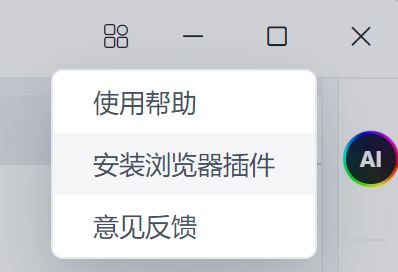
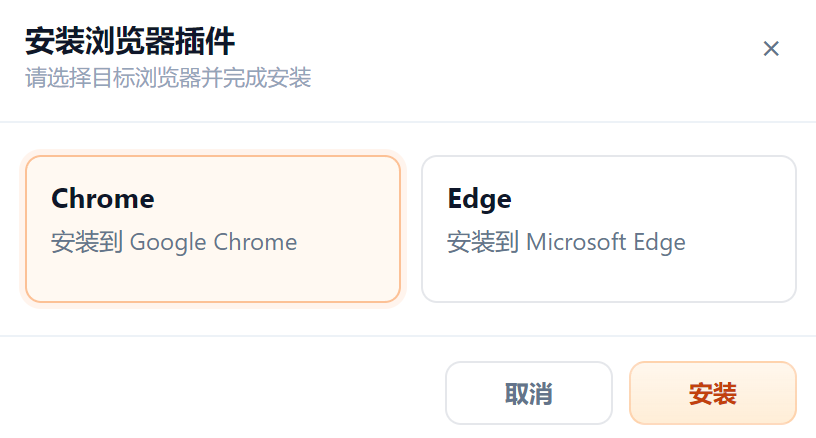
-
启动浏览器,点击启用扩展程序
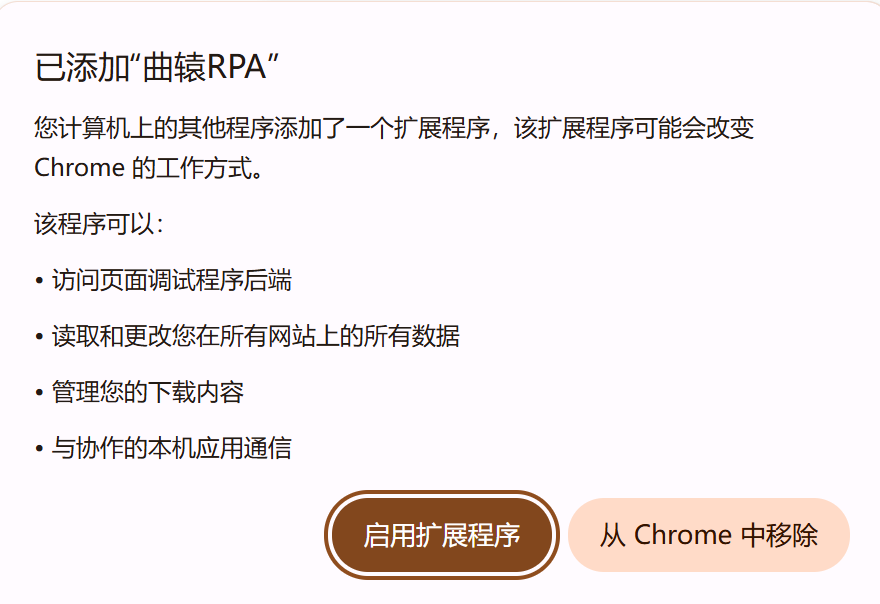
-
安装成功后会显示在Chrome中,请确保处于开启状态
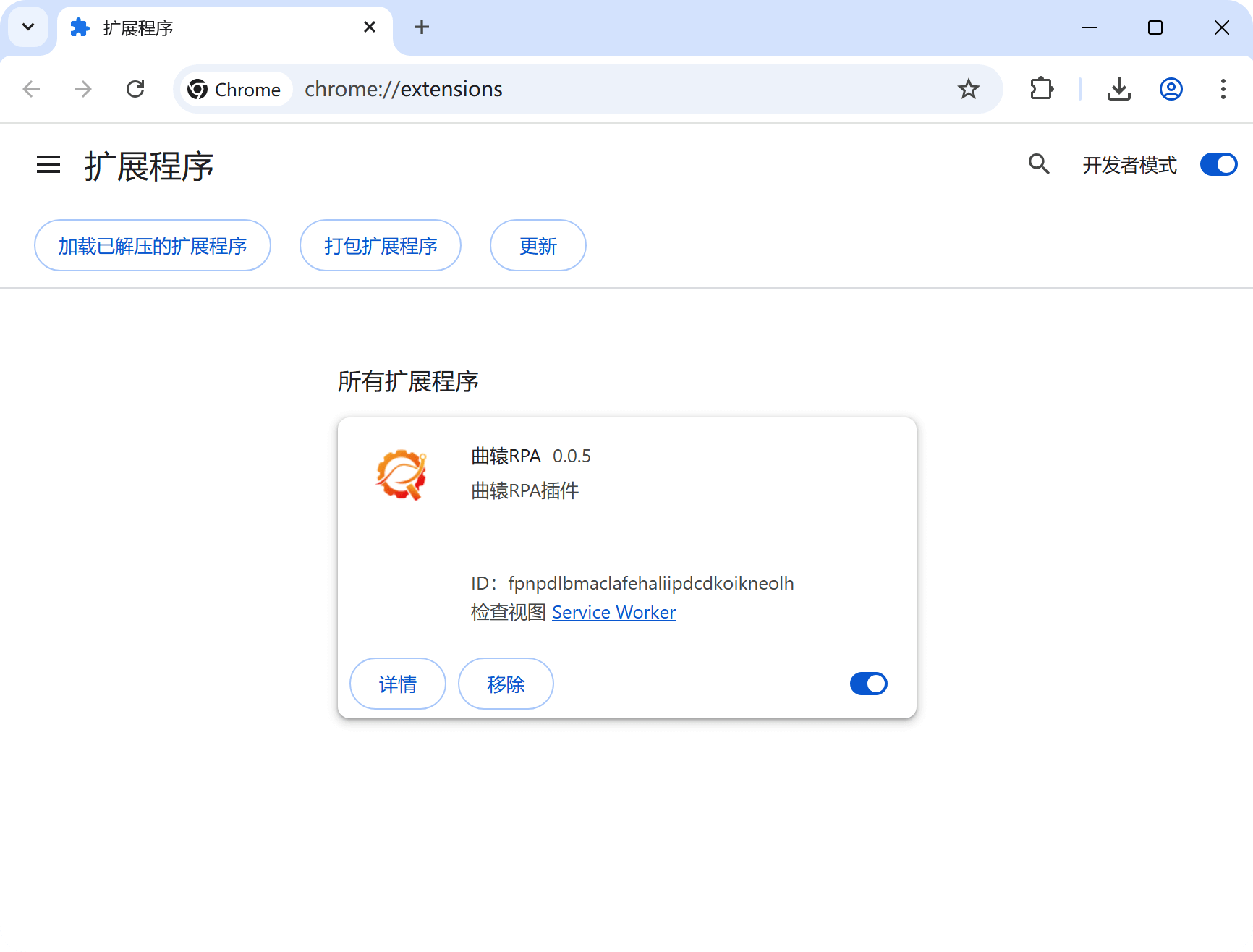
方式2:使用本地CRX插件文件安装
- Chrome浏览器官方下载链接 https://google.cn/chrome
- CRX插件文件下载 (右键-链接存储为...)
-
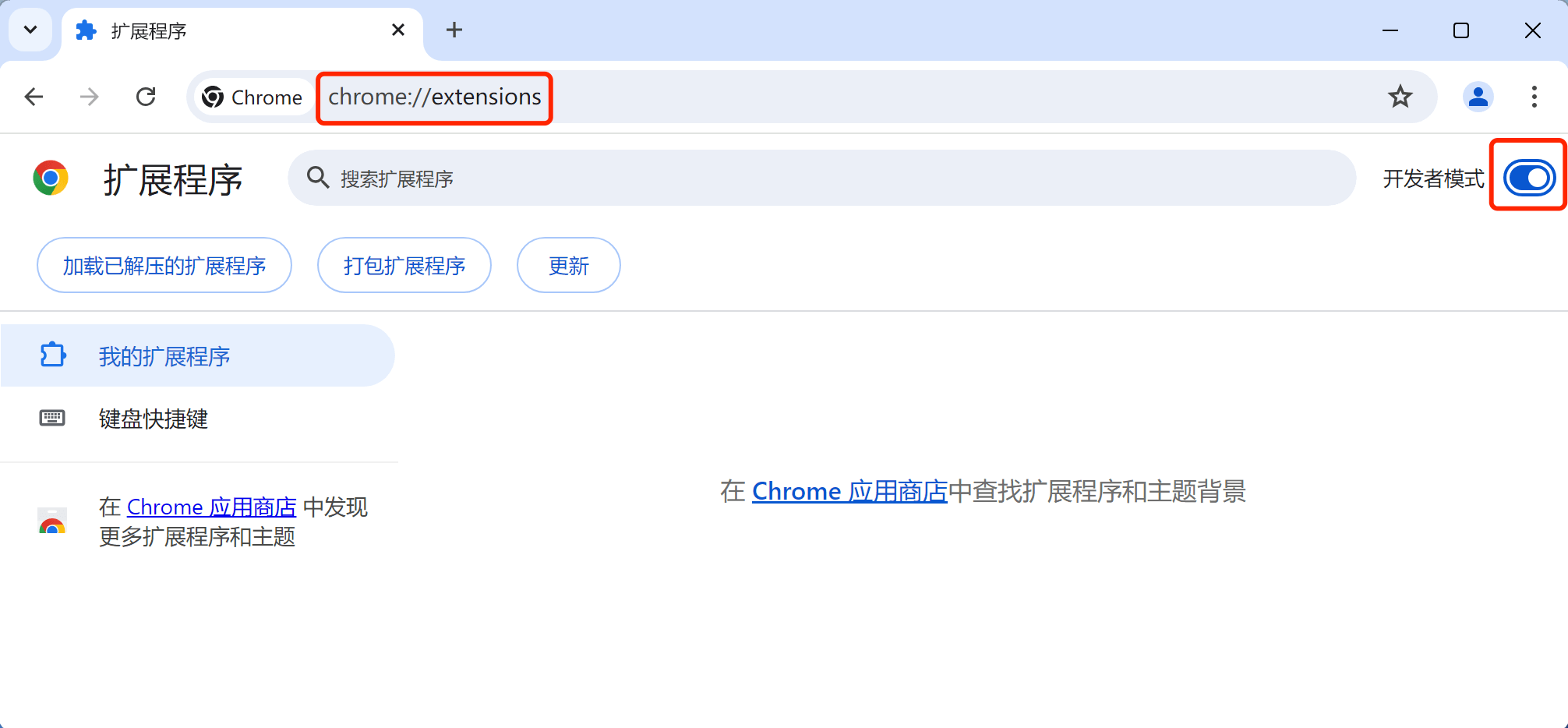
使用Chrome浏览器打开 chrome://extensions
-
打开 开发者模式
-
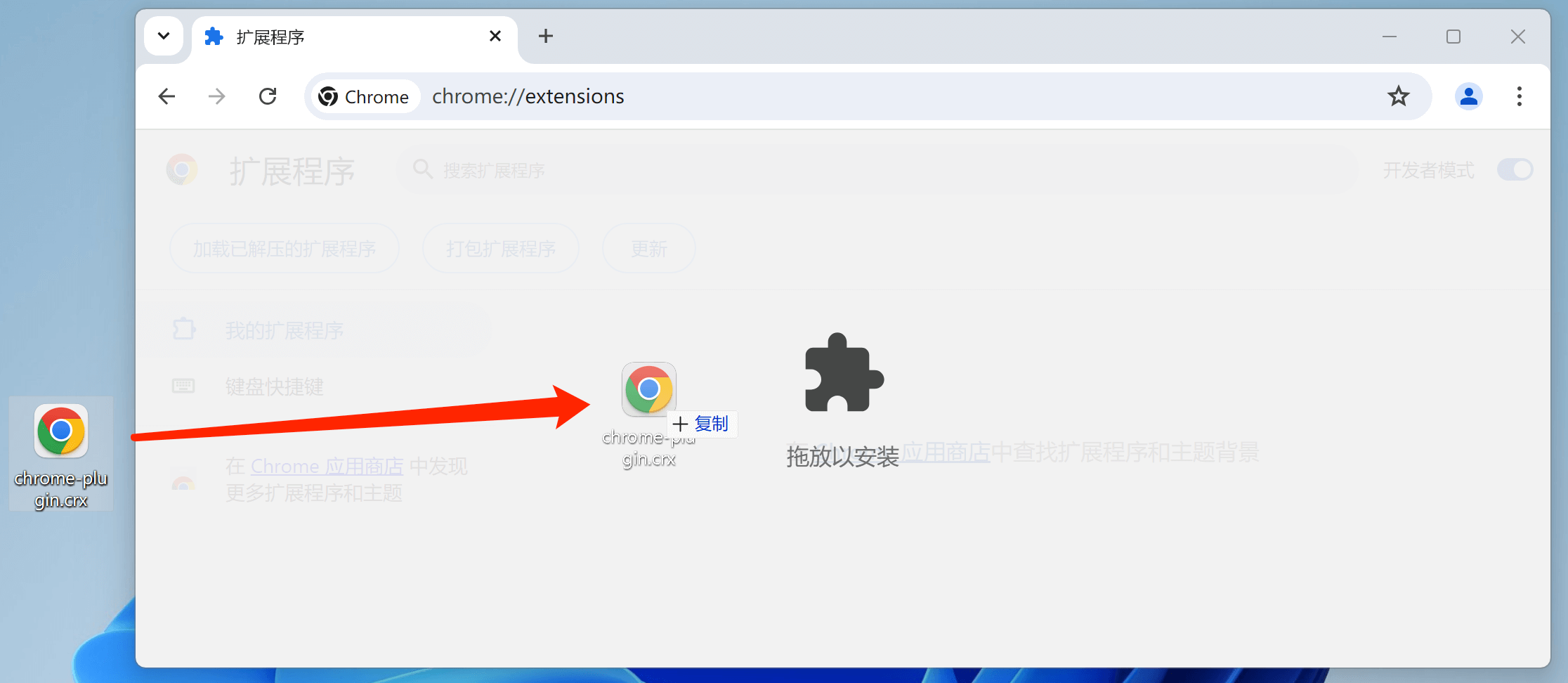
拖动chrome-plugin.crx文件到Chrome中
-
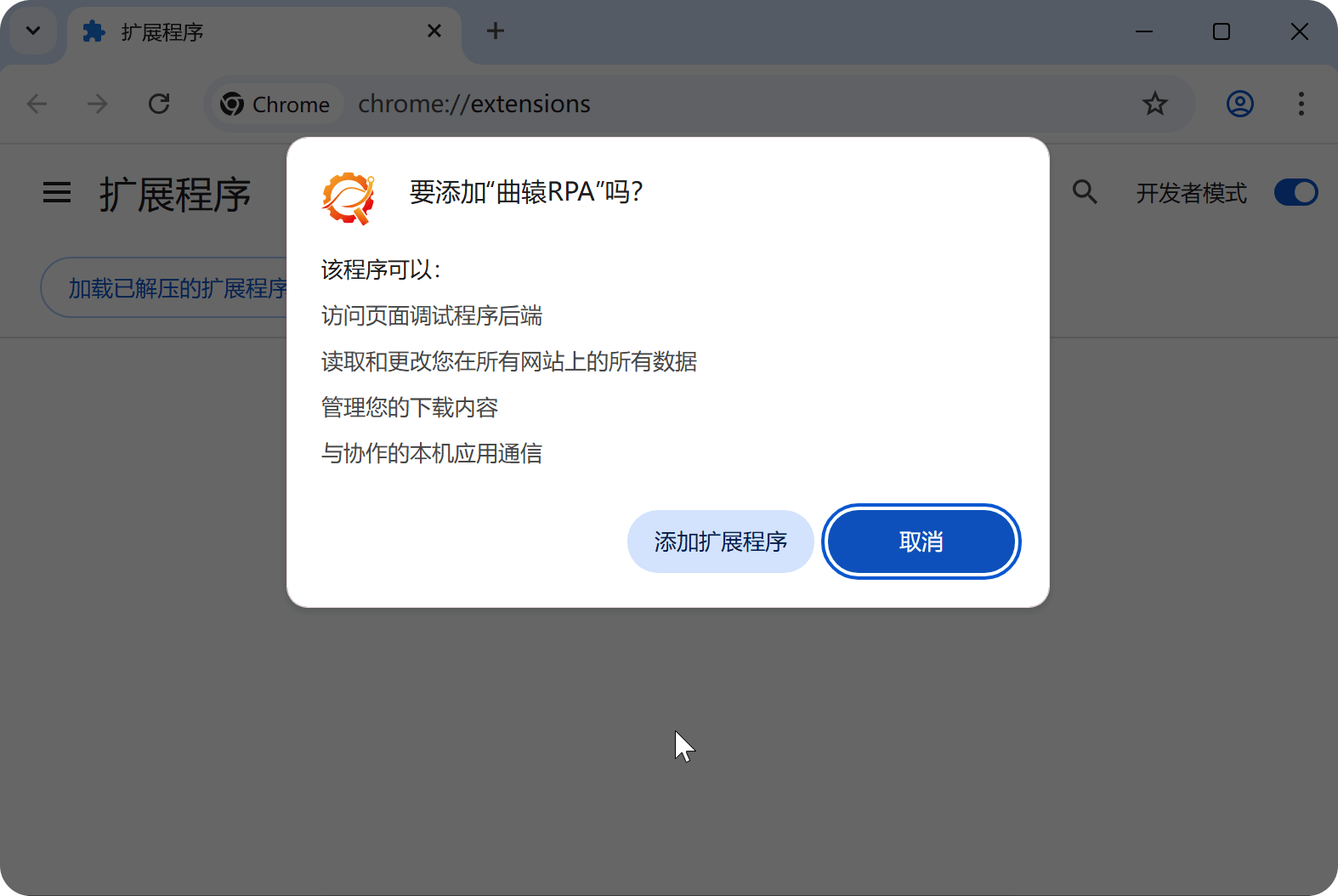
点击弹窗中的 添加扩展程序
-
安装成功后会显示在Chrome中,请确保处于开启状态
-
重启Chrome浏览器 就可以正常使用网页自动化了
方式3:使用未打包的扩展程序安装
- Chrome浏览器官方下载链接 https://google.cn/chrome
-
使用Chrome浏览器打开 chrome://extensions
-
打开 开发者模式
-
点击 加载未打包/已解压的扩展程序
-
找到未打包的扩展程序并安装
扩展程序位于:C:\Users\您的电脑用户名\AppData\Local\QuYuanApp\版本号\chrome-plugin目录
例如:C:\Users\young\AppData\Local\QuYuanApp\7.6.0\chrome-plugin
-
安装成功后会显示在Chrome中,请确保处于开启状态
-
重启Chrome浏览器 就可以正常使用网页自动化了
提示
曲辕版本>=7.6.0
方式4:通过Chrome Web Store安装
- Chrome浏览器官方下载链接 https://google.cn/chrome
-
使用Chrome浏览器打开右侧链接并搜索曲辕,点击 添加至Chrome https://chromewebstore.google.com
-
安装成功后会显示在Chrome中,请确保处于开启状态
-
重启Chrome浏览器 就可以正常使用网页自动化了
常见问题
参考 网页操作常见问题